Most “my TI-84 is broken” moments aren’t the calculator’s fault. They’re small input habits that are easy to pick up and easy to miss especially the two-keys-that-both-look-like-a-minus-sign kind of thing that trips up even experienced users. This is a roundup of the mistakes that come up again and again, beyond the mode and window issues already covered elsewhere on this site.
Does this apply to your TI-84?
Yes, TI-84, TI-84 Plus, and TI-84 Plus CE all share the same key layout and menu structure for everything below.
What mistakes do TI-84 users make most often?
1. Mixing up the negative sign and the subtraction key
This is probably the single most common TI-84 mistake, and it’s not obvious until you know to look for it. The TI-84 has two different minus-looking keys: (-) (the smaller one near ENTER, for negative numbers) and the regular − subtraction key. Typing 5(-)3 when you meant 5-3, or -x² when you meant (-x)², produces a syntax error or a completely different result than intended.
Fix it: Use (-) only immediately before a number to make it negative (like -5). Use the regular subtraction key only between two values in an expression (like 8 − 5).
2. Using ALPHA X instead of the X key
There’s a dedicated X,T,θ,n key for entering the variable X in equations. Some students instead use ALPHA + the X key on the number pad, which technically types a different variable in the calculator’s memory — one that won’t graph or solve the way you expect, even though it looks identical on screen.
Fix it: Always use the X,T,θ,n key (just left of the arrow keys) for your graphing variable, not ALPHA-X.
3. Not recognizing scientific notation in the answer
An answer like 2E5 isn’t an error it’s 2 × 10⁵, or 200,000. Students sometimes assume this means something went wrong, especially if they were expecting a small, clean number.
Fix it: If you want answers in standard decimal form instead of scientific notation, press MODE and select Normal on the first row instead of Sci.
4. Leaving a decimal answer instead of converting to a fraction
Homework and tests often expect fraction answers, but the TI-84 defaults to decimals. Forgetting this step is an easy way to lose points on an otherwise correct calculation.
Fix it: Right after getting a decimal result, press MATH, select 1: ▶Frac, then ENTER to convert it.
5. Confusing Archive memory with RAM when clearing a “Memory Full” error
Deleting apps or programs doesn’t always fix a memory warning, because the TI-84 splits storage into RAM (active memory) and Archive (long-term storage). A memory-full error tied to RAM won’t be solved by clearing Archive space, and vice versa.
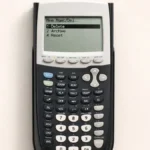
Fix it: Press 2nd, then + (MEM), then 2: Mem Management/Delete to see what’s actually using RAM versus Archive, and clear the correct one. For the full walkthrough, see the guide to clearing TI-84 memory.
6. Unclosed parentheses in nested functions
Functions like square roots, logs, and fractions each open an implicit or explicit parenthesis. Stacking several together a log of a fraction of a square root without closing each one is one of the most common sources of “ERR: SYNTAX.”
Fix it: Count your open parentheses as you type, and close every one before pressing ENTER, even when the calculator would technically still calculate without the final closing parenthesis.
7. A dim, flickering, or unresponsive screen
Not every “mistake” is a keystroke sometimes it’s the batteries. A TI-84 running low on power can show a faint or flickering display, slow responsiveness, or fail to hold settings between uses, which looks a lot like a software glitch.
Fix it: Press 2nd, then the up arrow, to check and adjust contrast first. If that doesn’t help, replace the AAA batteries (or recharge, on the CE’s rechargeable models).
8. Wrong angle mode for trig, and a graph window that doesn’t fit the function
These two are common enough that they deserve a mention here too, but they’re covered in full depth with every fix in two dedicated guides: why the TI-84 shows wrong answers and why a graph isn’t appearing at all.
A cleaner way to double-check your input
If you’re not sure whether a mistake is in your keystrokes or your calculator’s settings, the TI-84 Calculator Tool on this site starts fresh every time, with no leftover memory or mode settings to complicate the comparison.
FAQ
Why does my TI-84 give a syntax error with negative numbers?
You likely used the subtraction key instead of the (-) negative key, or vice versa. The (-) key belongs only right before a number to make it negative.
Why does my TI-84 show an answer like 2E5 instead of a normal number?
That’s scientific notation, not an error. 2E5 means 2 × 10⁵. Switch MODE to Normal if you want standard decimal answers instead.
Why won’t my TI-84 give a fraction answer automatically?
It defaults to decimals. Press MATH, then 1:▶Frac, then ENTER right after the calculation to convert it.
Why does my TI-84 screen look faded or flicker?
This is almost always low batteries or a contrast setting that’s off. Check contrast with 2nd + up arrow before replacing batteries.
What’s the difference between RAM and Archive memory on a TI-84?
RAM holds active data and running programs; Archive is longer-term storage. A “Memory Full” error can be tied to either one, so check both under 2nd + MEM before deleting anything.

1 thought on “Common TI-84 Calculator Mistakes and Fixes”